Add frontpage slider picture
Before you begin
- Make sure you are logged in as Administrator.
- Make sure you have saved the picture file you want to upload onto your drive.
Procedure
-
Note:In the section Slider Picture, drag and drop your picture file into the drag and drop area marked by the blue arrow.
Please be aware that the recommended size of your picture is 1600px x 400px or higher to optimize the display of your frontpage slider pictures.
Figure: Add a picture file
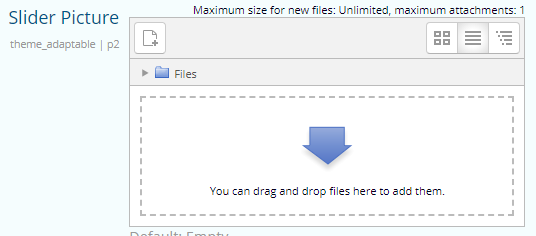 You will see the following information about your picture file in the drop down section:
- Name
- Last modified
- Size
- Type